There are many different ways to use the Multi-Day calendar. It is perfect for when
customers want to rent an item (like machinery) or a service (like a hotel) for 24 hours or more.
Some examples of industries that might make use of this calendar include: Cottage rentals;
small hotels; summer houses; bed and breakfasts; and car dealerships. In other words,
Bookingwizz is not limited to just the hospitality industry.
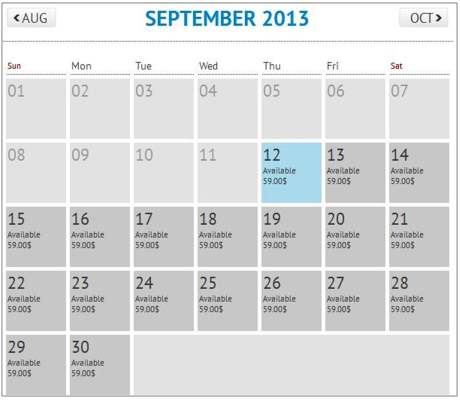
In this example, an owner is renting out his guest house from September 12 - 30. Customers
can book it for one day at $59 per day, or for multiple days.
Let’s say a customer needs the guest house from September 12 - 19. She would first click on
September 12, and this would open the “Availability” screen.
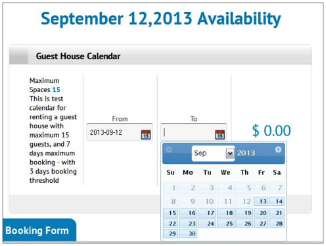
Next, she clicks on the calendar icon on the “From” box. This opens a drop-down calendar, and
the customer then clicks on September 12.
She then clicks on the calendar icon on the“To” box. The image below shows how the
calendar opens up to allow the customer to choose the beginning and ending date of her rental.
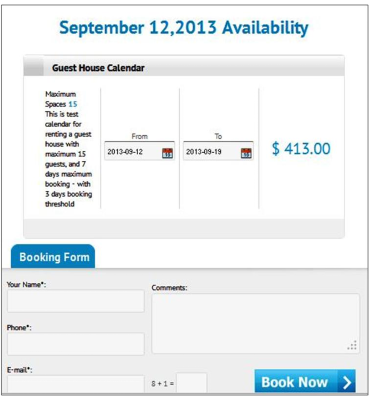
In our example, the customer books the guest house from September 12 until September 19.
Notice how the Bookingwizz program calculates the total cost ($59/night) for the customer:
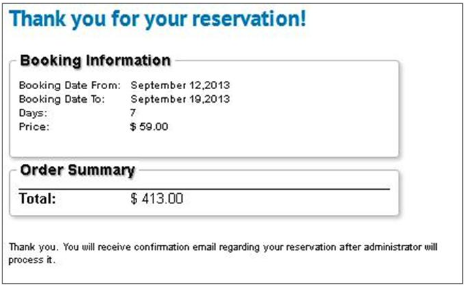
Now she completes the “Booking Form” and clicks “Book Now” to be redirected to the
following screen. Note that in this instance, she will receive a confirmation only after the Administrator has processed her reservation.