A Single-Day calendar allows users to set up a service on specific days, for a specific
length of time, as long as it does not exceed 24-hours. The service can be offered once a
day or in intervals. For example, if you teach Tennis, you might offer lessons (service) for several
hours a day, five days a week, at a charge of $15 per hour.
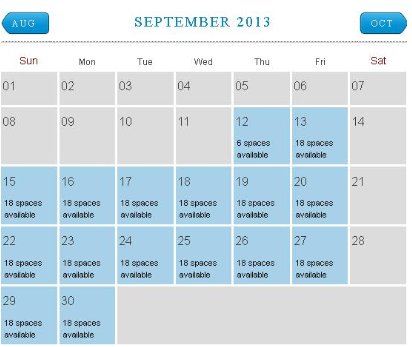
Here is an example of a Single-Day calendar. The service is offered on specific days at specific
intervals. For example, the September 12th service date offers 6 available spaces, but the
September 13th date offers 18 spaces. The number of spaces (bookings) offered on each day is
entirely up to you.
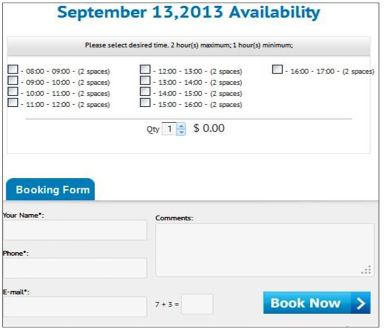
First, a customer decides which date is best for him. In this example, he chooses September
13th, so he clicks on that date and a box opens allowing him to choose his service time:
Now he chooses a time slot, and the quantity and price (here, 1 hr. of Tennis = $15) is
automatically calculated. In this example, your customer can book your services for a maximum
of 2 hrs. if he wants. If he decides he wants 2 hrs., he chooses two slots, and as he does, his
price becomes $30.
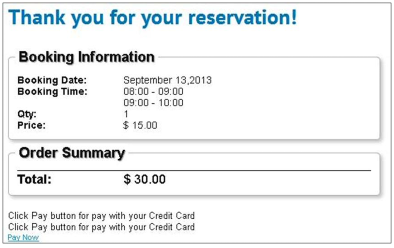
He then fills out the “Booking Form,” clicks “Book Now,” and receives a summary of his
booking information, his total ($30), and a payment link.
Note - You can use “offline payments”, paypal payments standard or you can use the
Bookingwizz Credit Card addon (separate purchase) to have a choice of payment gateways
for your customers to use.
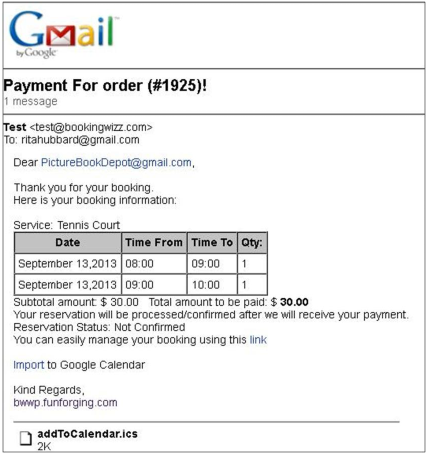
After he pays, he receives an email confirmation of his payment and his booking time(s):
The customer even has the option to add the “times” into his Google calendar or other
calendar he uses (iCal, Outlook etc.).
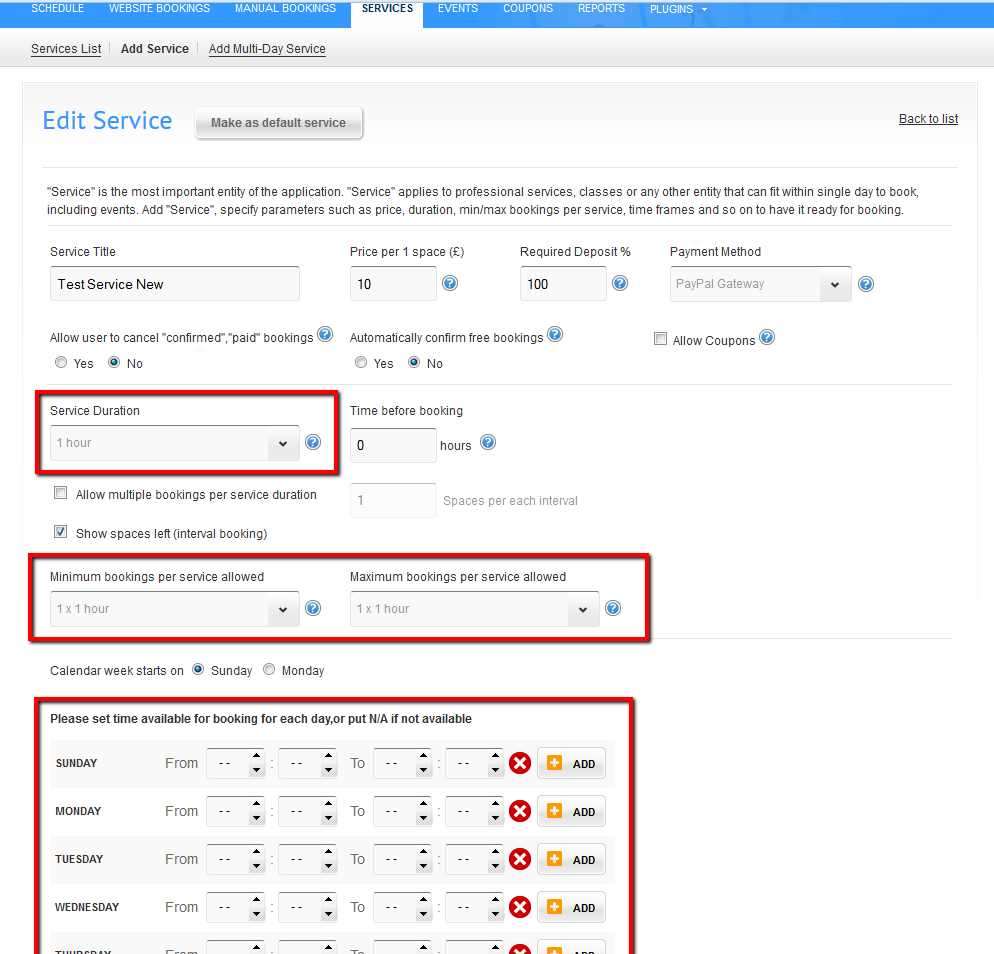
It's very important to note that if you have to setup schedule(availability) in calendar settings (see image below).
We've highlighted the most important settings. If you won't do this - you will see blank calendar without any "selectable" days on it.
When you will select the hourly interval and set work hours for at least 1 day a week - you will see "clickable" calendar days in your single day calendar.