BookingWizz SMS Reminders allow you to send SMS reminders to your customers about their upcoming reservations. Below you will find all the settings and their meaning.
The very first setting which you see on SMS reminders settings page is API access. Depending on which SMS processor you've signed up with you need to obtain API access with the help of this manual (read next chapter about this.).
Right after API access you will see following settings:
This is the phone number which your customers will see sms coming from.
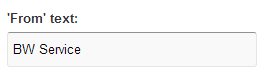
This is the name which your customers will see as sms from.
If you want your Multi-day customers receive sms reminder about their upcoming reservation - enter desired number of hours in input box and select "Enabled".
If at any time you need to disable these messages - set to "Disabled".
Input box can contain only full numbers.
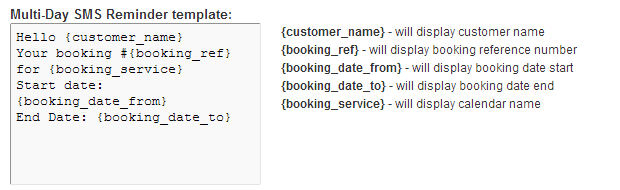
Above you can edit the SMS text which your MULTI-DAY customers will receive, with template variables explained on the right.
If you want your Single-day customers receive sms reminder about their upcoming reservation - enter desired number of hours in input box and select "Enabled".
If at any time you need to disable these messages - set to "Disabled".
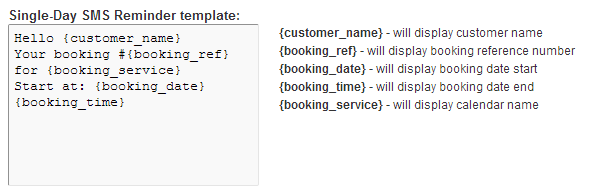
Above you can edit the SMS text which your SINGLE-DAY customers will receive, with template variables explained on the right.
If you want your event customers receive sms reminder about their upcoming reservation - enter desired number of hours in input box and select "Enabled".
If at any time you need to disable these messages - set to "Disabled".
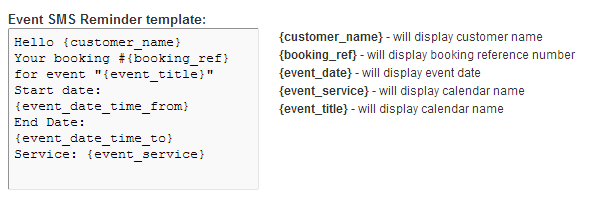
Above you can edit the SMS text which your EVENT customers will receive, with template variables explained on the right.