Configuring TROPO SMS gateway is a bit trickier than all others in BookingWizz SMS reminders addon. Here's a step-by-step guide, what you need to do.
Assuming that you already have registered an account with Tropo:
1. Login to your Tropo.com account
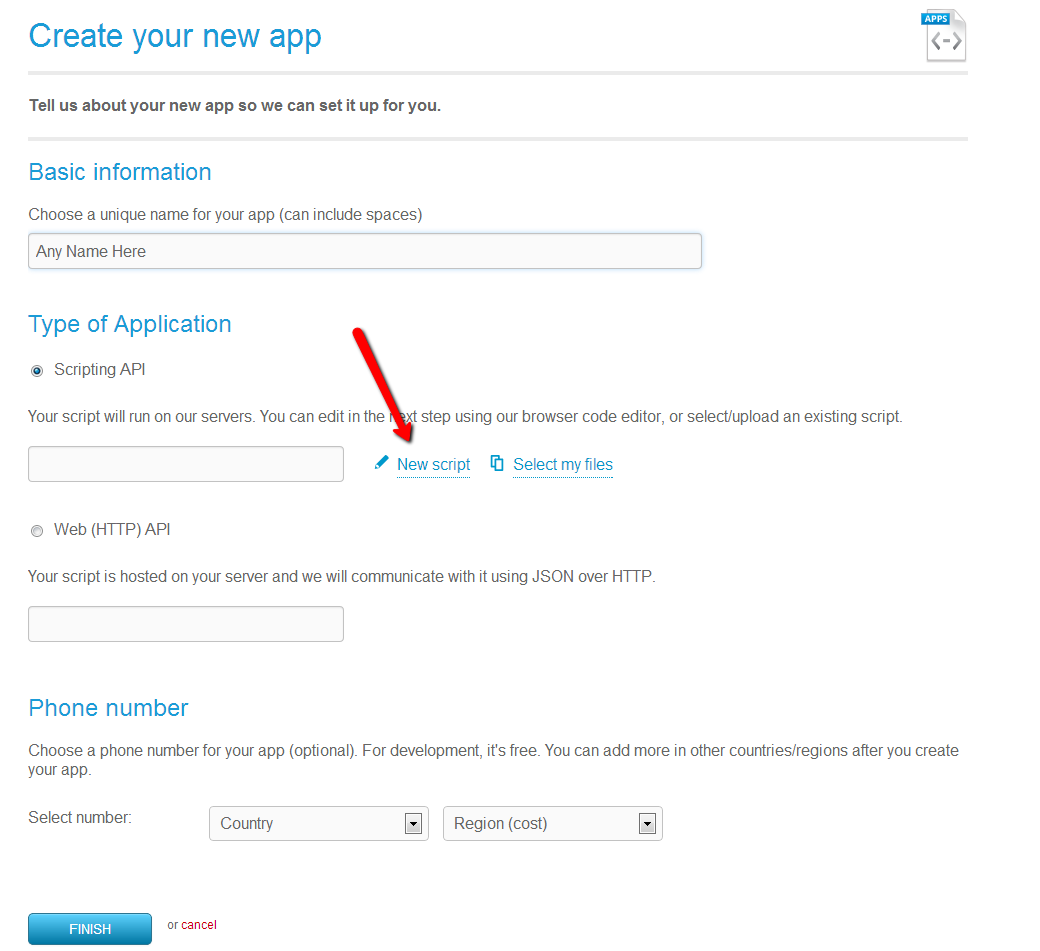
2. Navigate to "Applications" and click "Create New App"
3. Enter any name for the application, select "Scripting API" as type of application, click "New Script"
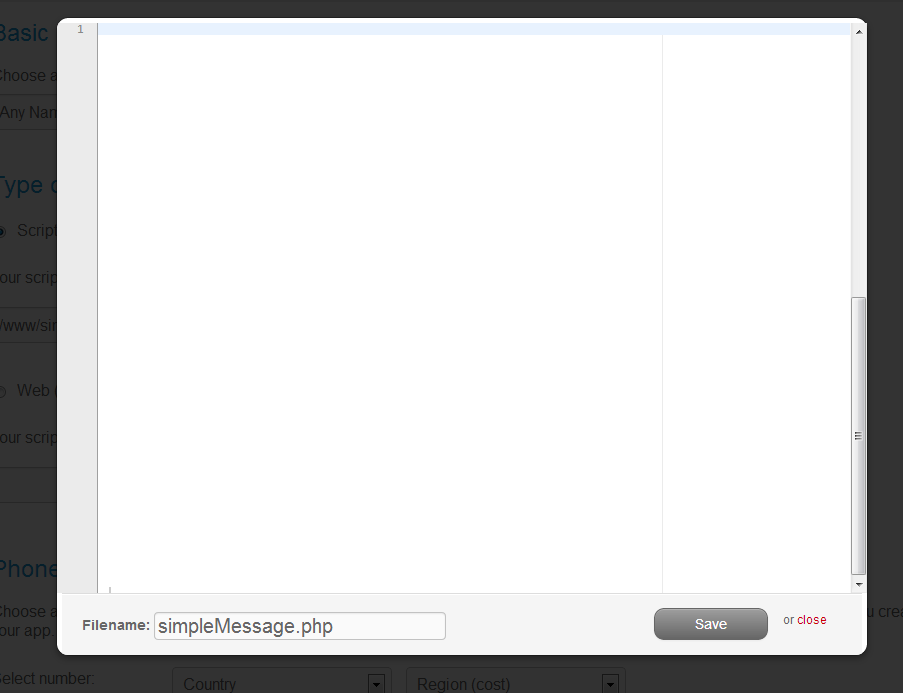
4. In the popup window - type filename "simpleMessage.php" and copy/paste below code into the contents window, and then press "Save".
(start copy/paste from after this line)
<?php
// This will send a message using the Tropo session API
// and POST replies to the URL of your choice.
//
// To send a message, invoke the session API using parameters
// to, msg, and network (optional, defaults to SMS) like this
// http://api.tropo.com/1.0/sessions?action=create&token=TOKEN&to=NUMBER&msg=MESSAGE&network=NETWORK
//
// Replies will be posted as a regular form post to your url
// using the following form variables:
// * to - the number this was sent to
// * from - the number the reply was sent from
// * msg - the message they sent
// Settings!
$url = 'http://example.com'; // Tropo will POST incoming messages here
$username = ''; // using HTTP Auth on your URL?
$password = ''; // using HTTP Auth on your URL?
// Defaults
$network = isset($network) ? $network : 'SMS';
if ($action == 'create') {
// this is an outgoing message
$opts = array('to' => $to, 'network' => $network);
if (!empty($from)) {
$opts['callerID'] = $from;
}
message($msg, $opts);
} else {
// this is an incoming message, capture output.
answer();
$response = ask('', array('choices' => '[ANY]'));
hangup();
// Set up the post to your web server
$data['msg'] = $response->value;
$data['to'] = $currentCall->calledID;
$data['from'] = $currentCall->callerID;
$param['data'] = $data;
if (!empty($username)) { $param['username'] = $username; }
if (!empty($password)) { $param['password'] = $password; }
$result = post($url, $param);
_log($result);
}
function post($url, $params) {
$data = $params['data'];
$user = $params['username'];
$pass = $params['password'];
$method = isset($params['method']) ? $params['method'] : 'POST';
if (is_array($data)) {
foreach ($data as $key=>$value) {
$qs .= '&'. urlencode($key) . '=' . urlencode($value);
}
}
$content_length = "".strlen($qs);
// Use curl to send the data to the URL
$ch = curl_init();
// this requires POST so add the fields to the POST body
if ($method == 'POST') {
curl_setopt($ch, CURLOPT_URL, $url);
curl_setopt($ch, CURLOPT_POSTFIELDS, $qs);
curl_setopt($ch, CURLOPT_POST, true);
curl_setopt($ch, CURLOPT_HTTPHEADER, array("Content-type: application/x-www-form-urlencoded"));
curl_setopt($ch, CURLOPT_HTTPHEADER, array("Content-Length: $content_length"));
} else {
// if this is a GET, use a query string
curl_setopt($ch, CURLOPT_URL, $url . "?$qs");
}
if (!empty($user) && !empty($pass)) {
curl_setopt($ch, CURLOPT_USERPWD, $user .':'. $pass);
}
curl_setopt($ch, CURLOPT_RETURNTRANSFER, 1);
$response = curl_exec($ch);
$code = curl_getinfo($ch, CURLINFO_HTTP_CODE);
$error = curl_error($ch);
if ($code != '200') {
_log("*** curl ERROR: $error ***");
$response = "$code $error";
}
curl_close($ch);
// make the response available to the rest of the script.
// We don't use that in this example, but you might decide to
return $response;
}
?>
(end copying, above this line)
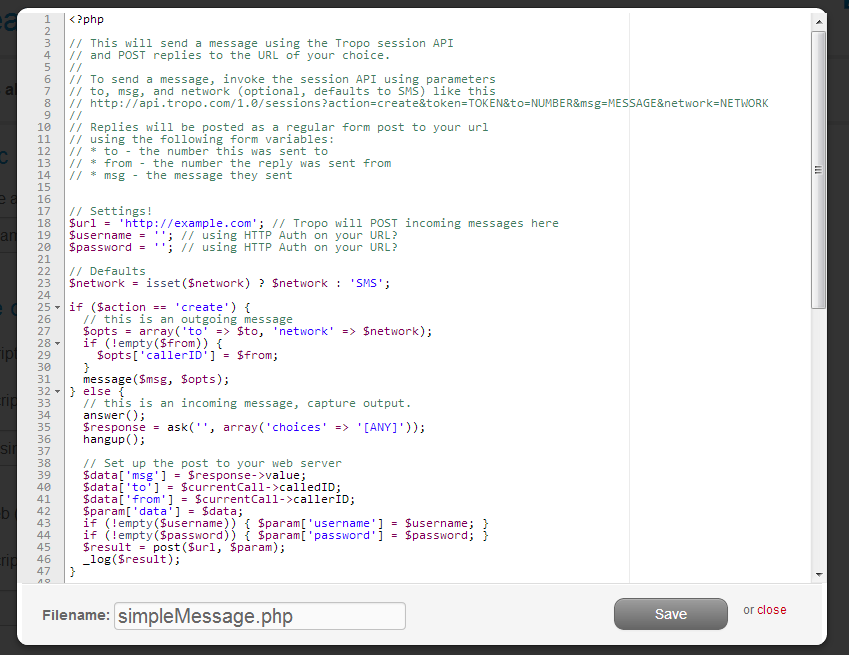
6. It should look like this at the end, before saving:
7. Select country/region for the phone number and click "Finish"
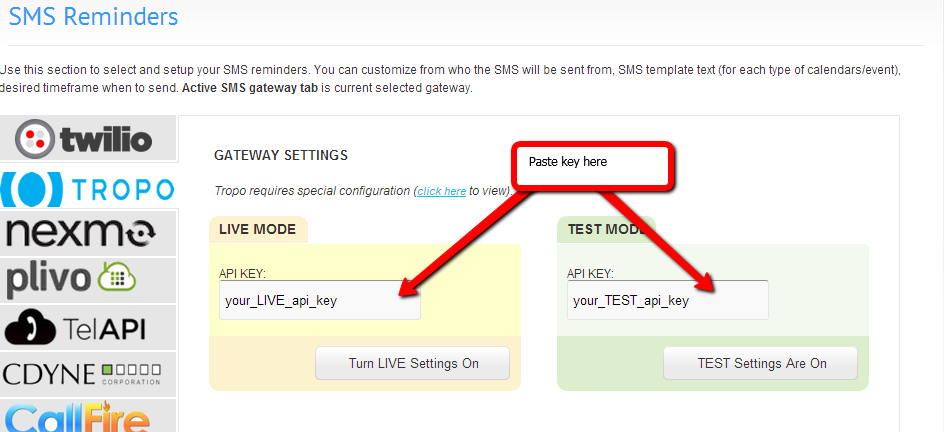
8. You will be taken to "review" screen after this, where on the bottom you will see 2 API keys, one for "voice" and one for "messaging" - you will need to copy the "messaging" API key and insert it into BookingWizz SMS Reminders TROPO settings screen:
9. You will also need to VERIFY your account by contacting Tropo support (top right menu item on their site). All you need to do is write them that you want to verify your account. In return you will receive a reply from them with 3 requests:
- you will need to provide brief description of your app intended purpose
- you will need to provide them with actual phone number where they can reach you with automated service to provide you a code which you will send to them (to verify that you are indeed you...sort of)
- and you will need to move your account to production with applying minimum of $10 credit.
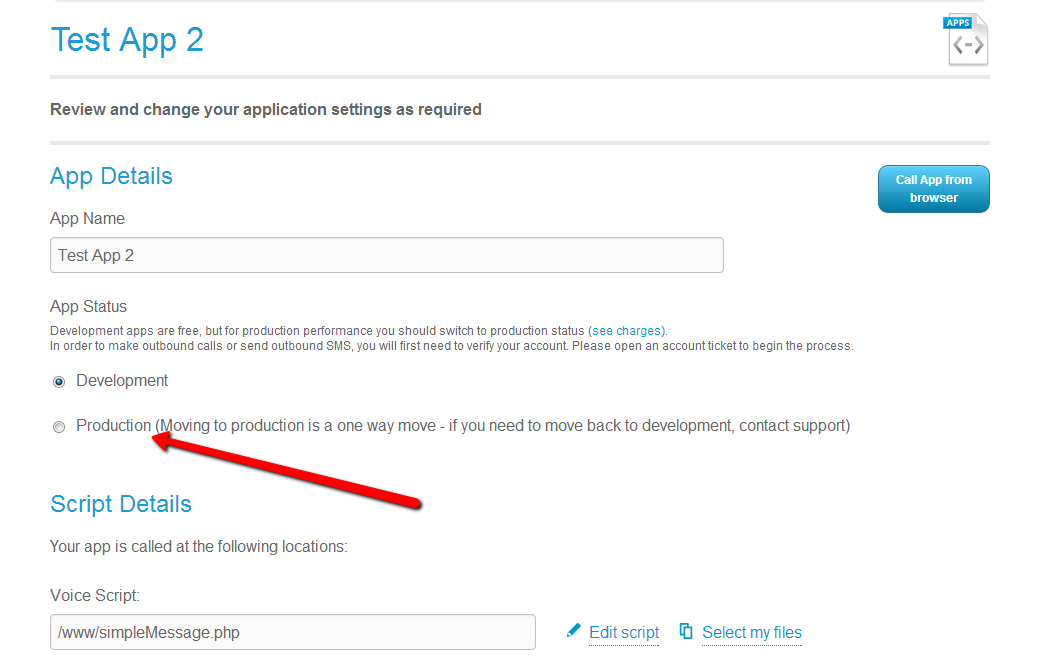
After all of the above is done - you will be able to test SMS reminders with Tropo. You may also need to switcht to production mode by editing your app and clicking on "Production" (see below)