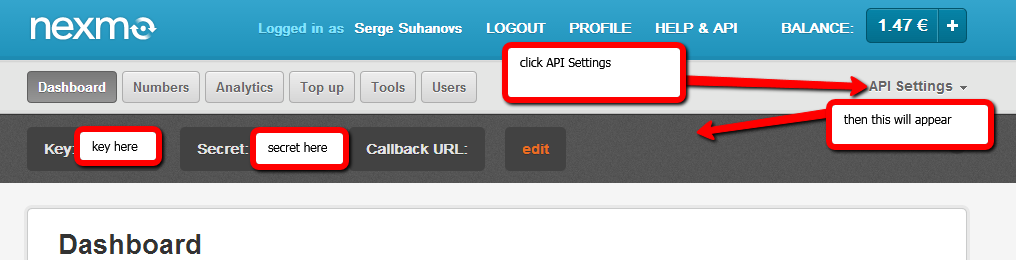
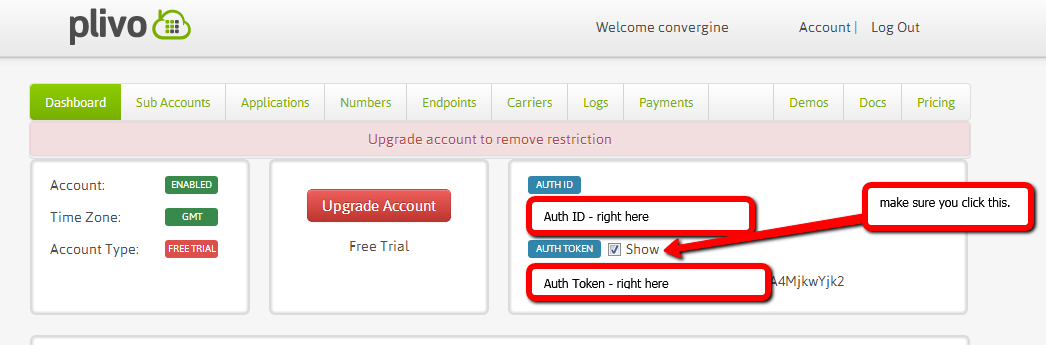
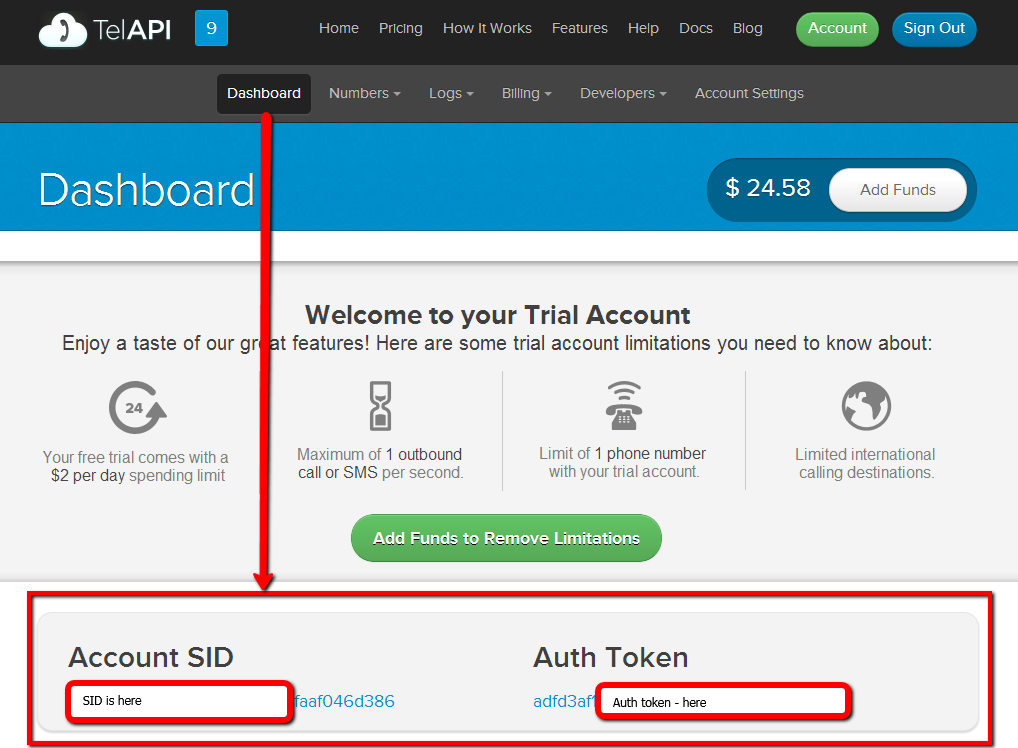
To configure "Nexmo", "Plivo", "TelAPI", "CDyne", "TextMagic" SMS gateways - all you need to do is register with one of them, login to the account and you will see API access information right on the dashboard or in account settings, which you need to copy/paste into BookingWizz SMS Reminders settings for selected gateway. See below:
Nexmo (dashboard)
Plivo (dashboard)
TelAPI (dashboard)
Cdyne
Cdyne will provide you with "License Key" in the email, after you will sign up with them (if you'll decide to go with them of course). You will need to copy paste that license key to the BookingWizz SMS Reminders settings, just like with any other gateway mentioned above.
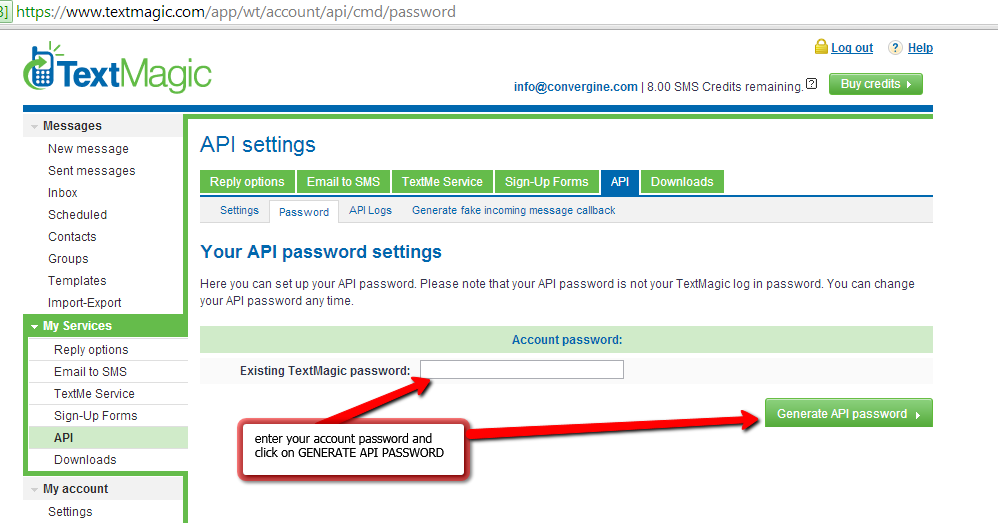
TextMagic
API username for TextMagic is your account username (usually your email). Password can be generated using link seen below on the screenshot, or by going to My Services->API->Password
BulkSMS
BulkSMS requires your phone number in main configuration to have code, including plus sign (+14445557788), your API username is your bulksms account username, and API password is your bulksms account password.
Also, you need to select the "API_URL" in configuration of BulkSMS SMS reminders section, which depends on where did you register your BulkSMS account. If you registered BulkSMS US account - select US in API_URL, if BulkSMS UK - select UK etc..
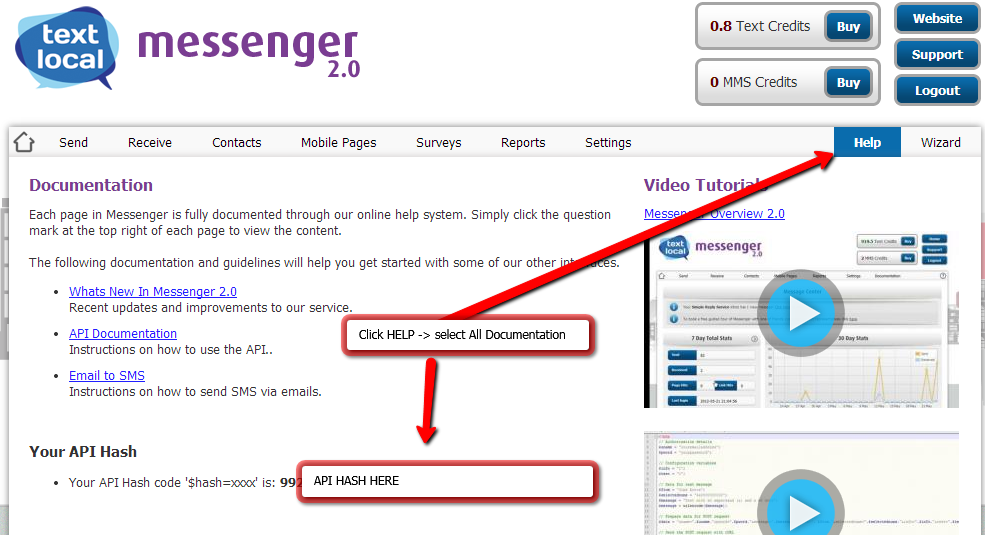
TextLocal
API username for TextLocal is your account username which is usually your email. API Password is API HASH which you can find in