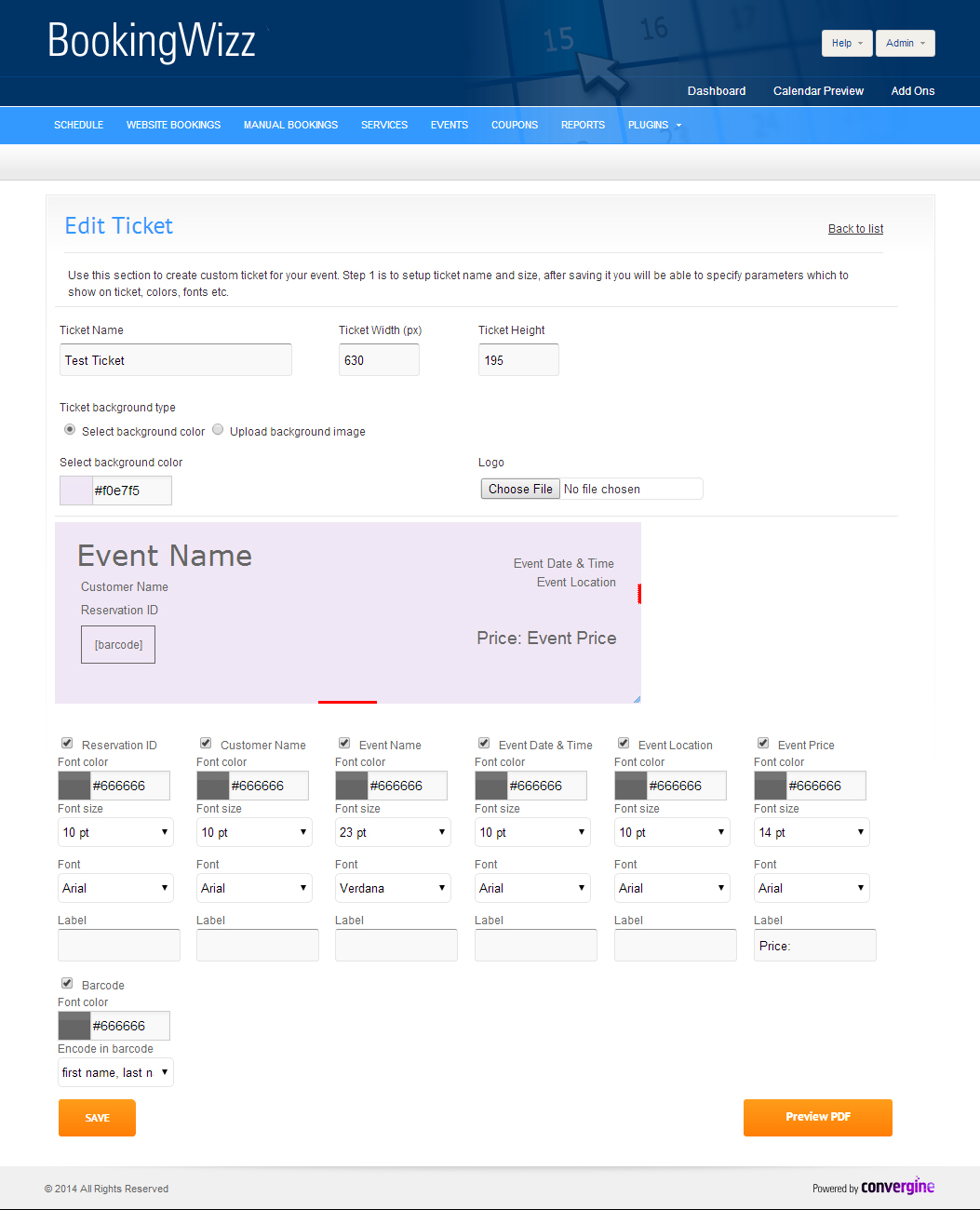
This section describes BookingWizz Event Tickets addon settings. Please note that BookingWizz Event Tickets is an addon for BookingWizz and requires separate purchase.
First, start with entering a descriptive name of the ticket template, then define width and height of the printable ticket.
Set background color, or upload background image. Save those settings and then you will see much more options/settings below the ticket preview.
Below the ticket preview, you will see names of the fields which you can place on the ticket. Click on the checkbox and that element
will show up on the ticket preview. You can drag and drop the element, where you want it to appear. Then set font color / size / font family.
When done tweaking the ticket - save it, or click preview pdf - you will see what you customers will receive as attachment in the booking confirmation.
Now, since you've created ticket template, you need to assign the template to an actual event. Go to events, select edit next to needed event
and set the ticket template. That's it - now your customers will be able to receive/print the tickets for your events.