Some jobs seem bigger than they really are. You don’t necessarily need to hire a coder to make CSS or Styling customizations to your Bookingwizz calendar. You can handle some of the smaller customizations yourself.
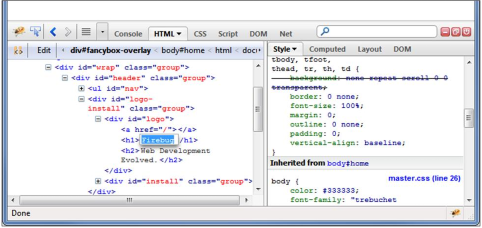
Like many developers, we suggest that you do your styling through Firebug.
What is Firebug? It’s a plugin made specifically for your web browser that gives you access to
web development tools that allow you to preview LIVE changes to your website and find the file
where one or another style is located. You’ll have the opportunity to preview your css changes on
the spot, debug it, and/or monitor your site’s CSS, HTML, and JavaScript files. You’ll also be able
to find errors quickly and adjust your site to fit your needs.
You can also use Chrome for the same purpose, just press F12 on your keyboard to bring up the web developer toolbar.
Changing calendar colors, appearance, padding and sizing:
Whenever you need to change something in BookingWizz design-wise and you are not sure where to change it use Firefox or Chrome and apply following methods:
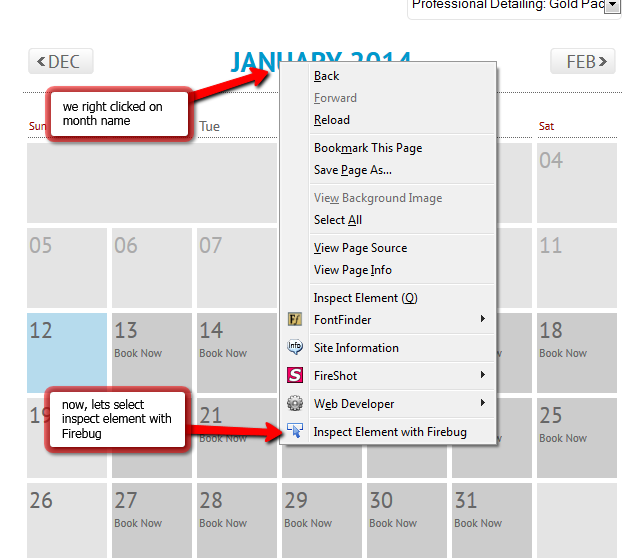
1) right click on the element which you want to edit (see below)
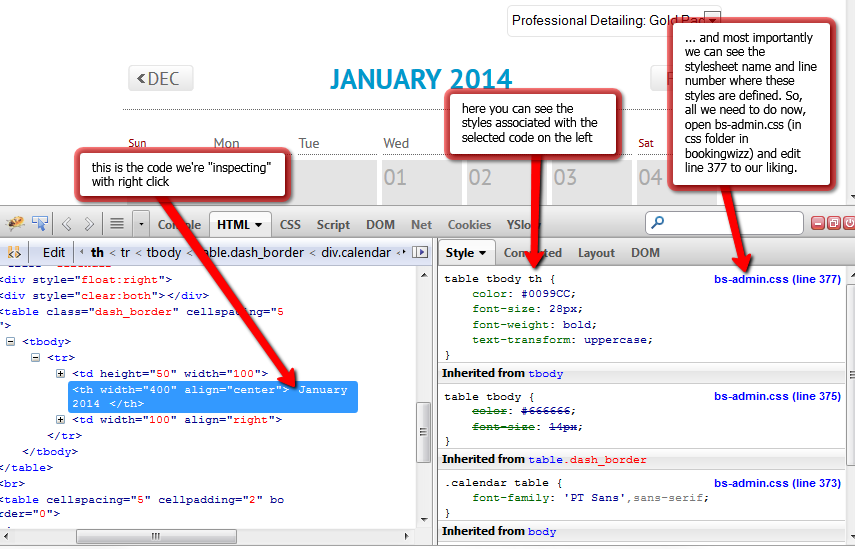
2) inspect the information firebug (or chrome web developer toolbar) provides you